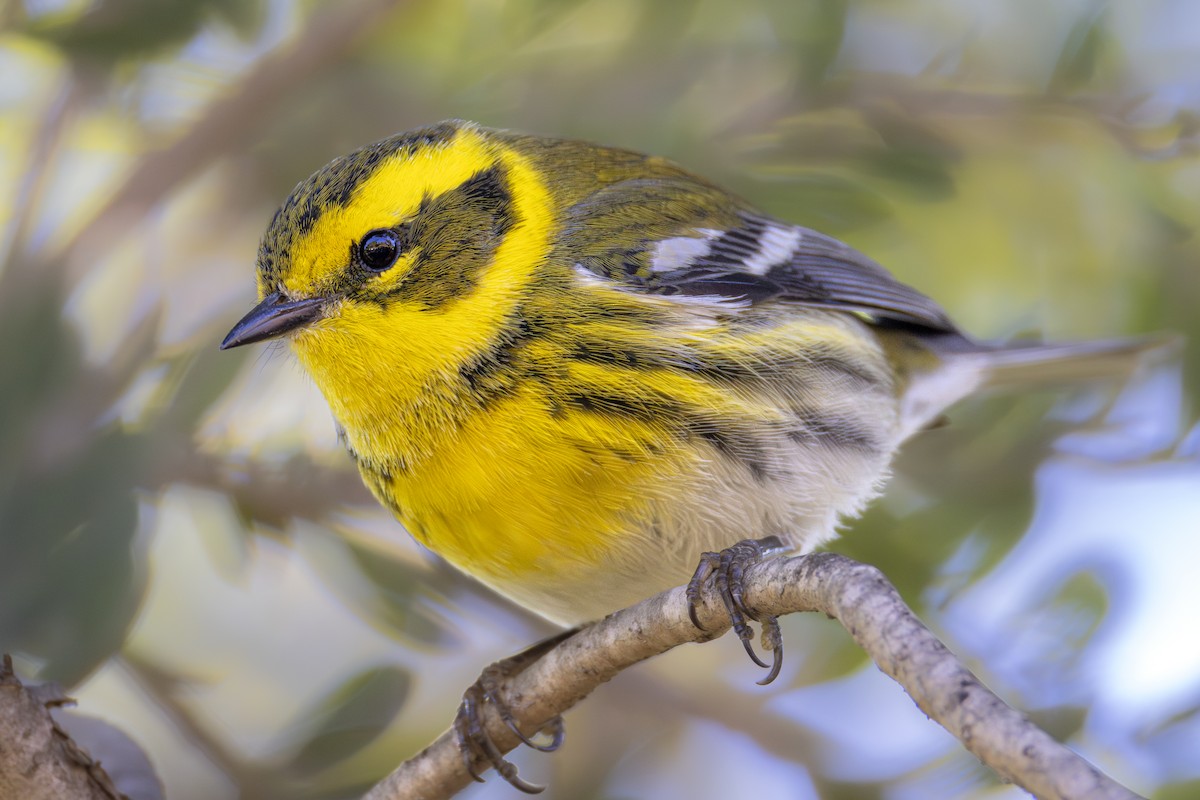
Thanks Greyhawk95 for setting this up. Going to start out by replicating some of the threads from Whatbird.
A Le Conte's Sparrow I saw recently;
Your Best Shot Of The Day
-
stitch58
- Posts: 158
- Joined: Wed Jan 07, 2026 2:06 am
- Location: New Jersey
- Has thanked: 638 times
- Been thanked: 394 times
- Contact:
Your Best Shot Of The Day
You do not have the required permissions to view the files attached to this post.
-
Charlie Spencer

- Posts: 314
- Joined: Wed Jan 07, 2026 8:08 pm
- Location: Sunset Harbor, North Carolina
- Has thanked: 656 times
- Been thanked: 412 times
- Contact:
Re: Your Best Shot Of The Day
NIce bird but how did you post the image? The 'Insert URL' button does post a working link, but the 'Insert Image' returns a broken 'Image' icon. Attempting to paste did nothing.
Thanks.
Thanks.
Sunset Harbor NC USA
-
Greyhawk

- Site Admin
- Posts: 654
- Joined: Tue Jan 06, 2026 11:51 am
- Location: North Texas
- Has thanked: 153 times
- Been thanked: 290 times
- Contact:
Re: Your Best Shot Of The Day
You do not have the required permissions to view the files attached to this post.
My feeder cam:
https://www.youtube.com/@johnakkaarrh4142/live
https://www.youtube.com/@johnakkaarrh4142/live
-
Greyhawk
- Site Admin
- Posts: 654
- Joined: Tue Jan 06, 2026 11:51 am
- Location: North Texas
- Has thanked: 153 times
- Been thanked: 290 times
- Contact:
Re: Your Best Shot Of The Day
See the attachment tab at the bottom left when you post. After you upload the file, it will give you the option of placing inline.Charlie Spencer wrote: Wed Jan 07, 2026 9:32 pm NIce bird but how did you post the image? The 'Insert URL' button does post a working link, but the 'Insert Image' returns a broken 'Image' icon. Attempting to paste did nothing.
My feeder cam:
https://www.youtube.com/@johnakkaarrh4142/live
https://www.youtube.com/@johnakkaarrh4142/live
-
stitch58
- Posts: 158
- Joined: Wed Jan 07, 2026 2:06 am
- Location: New Jersey
- Has thanked: 638 times
- Been thanked: 394 times
- Contact:
Re: Your Best Shot Of The Day
Yes I did post the picture. It shows up for me so not sure what's going on. I'll try posting it again. Let me know if it wors for you.Charlie Spencer wrote: Wed Jan 07, 2026 9:32 pm NIce bird but how did you post the image? The 'Insert URL' button does post a working link, but the 'Insert Image' returns a broken 'Image' icon. Attempting to paste did nothing.
Thanks.
You do not have the required permissions to view the files attached to this post.
-
Charlie Spencer
- Posts: 314
- Joined: Wed Jan 07, 2026 8:08 pm
- Location: Sunset Harbor, North Carolina
- Has thanked: 656 times
- Been thanked: 412 times
- Contact:
Re: Your Best Shot Of The Day
My apologies for my imprecise post. I was describing what happened during my first attempts to post a photo, not the results of your post. Your photos are appearing correctly.Yes I did post the picture. It shows up for me so not sure what's going on. I'll try posting it again. Let me know if it wors for you.
Sunset Harbor NC USA
-
Michael Long
- Posts: 5
- Joined: Thu Jan 08, 2026 6:14 am
- Location: San Mateo County, California
- Has thanked: 9 times
- Been thanked: 26 times
Re: Your Best Shot Of The Day
Western Gull choking down a starfish
https://macaulaylibrary.org/asset/648216044
https://macaulaylibrary.org/asset/648216044
You do not have the required permissions to view the files attached to this post.
Young birder from San Mateo County, California.
-
Aidan B

- Posts: 151
- Joined: Thu Jan 08, 2026 5:43 pm
- Location: Humboldt County, California
- Has thanked: 109 times
- Been thanked: 378 times
Re: Your Best Shot Of The Day
We are so Back!!!!!! Thanks for setting this up Greyhawk!
https://macaulaylibrary.org/asset/644544898
https://macaulaylibrary.org/asset/644544898
You do not have the required permissions to view the files attached to this post.
-
stitch58
- Posts: 158
- Joined: Wed Jan 07, 2026 2:06 am
- Location: New Jersey
- Has thanked: 638 times
- Been thanked: 394 times
- Contact:
Re: Your Best Shot Of The Day
Great shot!!Michael Long wrote: Thu Jan 08, 2026 5:51 pm Western Gull choking down a starfish
https://macaulaylibrary.org/asset/648216044
-
stitch58
- Posts: 158
- Joined: Wed Jan 07, 2026 2:06 am
- Location: New Jersey
- Has thanked: 638 times
- Been thanked: 394 times
- Contact:
Re: Your Best Shot Of The Day
I'm laid up right now from knee replacement surgery so have to go back a few weeks for newer shots. Ash-throated Flycatcher.
You do not have the required permissions to view the files attached to this post.
-
Lonestranger

- Posts: 577
- Joined: Wed Jan 07, 2026 9:48 am
- Location: Waterloo region, Ontario, Canada
- Has thanked: 297 times
- Been thanked: 261 times
- Contact:
Re: Your Best Shot Of The Day
Aidan B wrote: Thu Jan 08, 2026 8:40 pm We are so Back!!!!!! Thanks for setting this up Greyhawk!
https://macaulaylibrary.org/asset/644544898
Nice shots guys. I am curious about your methods of attaching the images from the Macaulay Library. If it's not too much to ask, could you guys provide a detailed walkthrough of your procedure, for those of us trying to learn the different methods.Michael Long wrote: Thu Jan 08, 2026 5:51 pm Western Gull choking down a starfish
https://macaulaylibrary.org/asset/648216044

Re: Your Best Shot Of The Day
Drag the photo into the bare at the top in macaulay, then copy and come here to open up the reply page, select the insert image at the top of the text box(the mountain and sun icon), click that then paste in the middle.Lonestranger wrote: Fri Jan 09, 2026 11:46 amAidan B wrote: Thu Jan 08, 2026 8:40 pm We are so Back!!!!!! Thanks for setting this up Greyhawk!
https://macaulaylibrary.org/asset/644544898Nice shots guys. I am curious about your methods of attaching the images from the Macaulay Library. If it's not too much to ask, could you guys provide a detailed walkthrough of your procedure, for those of us trying to learn the different methods.Michael Long wrote: Thu Jan 08, 2026 5:51 pm Western Gull choking down a starfish
https://macaulaylibrary.org/asset/648216044
-
Charlie Spencer
- Posts: 314
- Joined: Wed Jan 07, 2026 8:08 pm
- Location: Sunset Harbor, North Carolina
- Has thanked: 656 times
- Been thanked: 412 times
- Contact:
Re: Your Best Shot Of The Day
I always interpreted 'Best Shot of the Day' as 'Best Shot You'll Post Today', not "Best Shot You Took Today'.have to go back a few weeks for newer shots.

Sunset Harbor NC USA
-
Lonestranger
- Posts: 577
- Joined: Wed Jan 07, 2026 9:48 am
- Location: Waterloo region, Ontario, Canada
- Has thanked: 297 times
- Been thanked: 261 times
- Contact:
Re: Your Best Shot Of The Day
That method, which works for me, loads my image from the cdn.download.ams.birds.cornell.edu/ part of the site, but differs from the Macaulay Library attachments that Aidan B and Michael Long have shared. For some reason, putting the Macaulay link in using the Insert Image method leaves me with a broken image icon, pasting the Macaulay URL into the message doesn't work either. To clarify, the URL on it's own works as a hyperlink, but it doesn't work loading the image. See below.Kevin wrote: Fri Jan 09, 2026 2:18 pm Drag the photo into the bare at the top in macaulay, then copy and come here to open up the reply page, select the insert image at the top of the text box(the mountain and sun icon), click that then paste in the middle.
https://macaulaylibrary.org/asset/611373760
Edit: Out of range Bullocks Oriole from Nov 2023
I think I've got it figured out. I clicked and dragged the photo right out of the Macaulay tab and over to the WhatBirdisThat tab and then dropped it right into the already open message box. Dragging and dropping directly in the message box eliminates a few copy and paste steps for those interested in efficiency.
Edit: I may have had a Chair-Keyboard Interface problem. Going to remove the Attachment and try dragging and dropping again.
You do not have the required permissions to view the files attached to this post.
-
Charlie Spencer
- Posts: 314
- Joined: Wed Jan 07, 2026 8:08 pm
- Location: Sunset Harbor, North Carolina
- Has thanked: 656 times
- Been thanked: 412 times
- Contact:
Re: Your Best Shot Of The Day
That's what I was describing back on page 1. I haven't tried from Mac since, and the only photo I've posted was directly from a file. I'll try @kevin 's suggestion.For some reason, putting the Macaulay link in using the Insert Image method leaves me with a broken image icon, pasting the Macaulay URL into the message doesn't work either.
Sunset Harbor NC USA

-
Lonestranger
- Posts: 577
- Joined: Wed Jan 07, 2026 9:48 am
- Location: Waterloo region, Ontario, Canada
- Has thanked: 297 times
- Been thanked: 261 times
- Contact:
Re: Your Best Shot Of The Day
I noticed that dragging an eBird photo from Macaulay to the URL bar opens the photo on a Cornell page with a '/2400' size restriction at the end of the URL. Dragging the same image to the URL bar directly from my checklist loaded what seemed to be the same Cornell URL with a '/900' size restriction on the end. Just wanted to share that dragging an image into the URL bar may result in varying file/photo sizes depending on where you're viewing that image from. If the size restriction on the end doesn't meet your needs, try dragging the photo to the URL bar from a different page. I tried changing the size restriction manually but that didn't work for me. Just an observation that probably won't matter but might be handy to know if you're up against tight file size restrictions.Lonestranger wrote: Fri Jan 09, 2026 3:50 pmThat method, which works for me, loads my image from the cdn.download.ams.birds.cornell.edu/ part of the site, but differs from the Macaulay Library attachments that Aidan B and Michael Long have shared. For some reason, putting the Macaulay link in using the Insert Image method leaves me with a broken image icon, pasting the Macaulay URL into the message doesn't work either. To clarify, the URL on it's own works as a hyperlink, but it doesn't work loading the image. See below.Kevin wrote: Fri Jan 09, 2026 2:18 pm Drag the photo into the bare at the top in macaulay, then copy and come here to open up the reply page, select the insert image at the top of the text box(the mountain and sun icon), click that then paste in the middle.
https://macaulaylibrary.org/asset/611373760
Edit: Out of range Bullocks Oriole from Nov 2023
I think I've got it figured out. I clicked and dragged the photo right out of the Macaulay tab and over to the WhatBirdisThat tab and then dropped it right into the already open message box. Dragging and dropping directly in the message box eliminates a few copy and paste steps for those interested in efficiency.
Edit: I may have had a Chair-Keyboard Interface problem. Going to remove the Attachment and try dragging and dropping again.
-
GracesWarbler
- Posts: 15
- Joined: Sat Jan 10, 2026 4:43 pm
- Location: Boone, NC
- Has thanked: 21 times
- Been thanked: 23 times
- Contact:
Re: Your Best Shot Of The Day
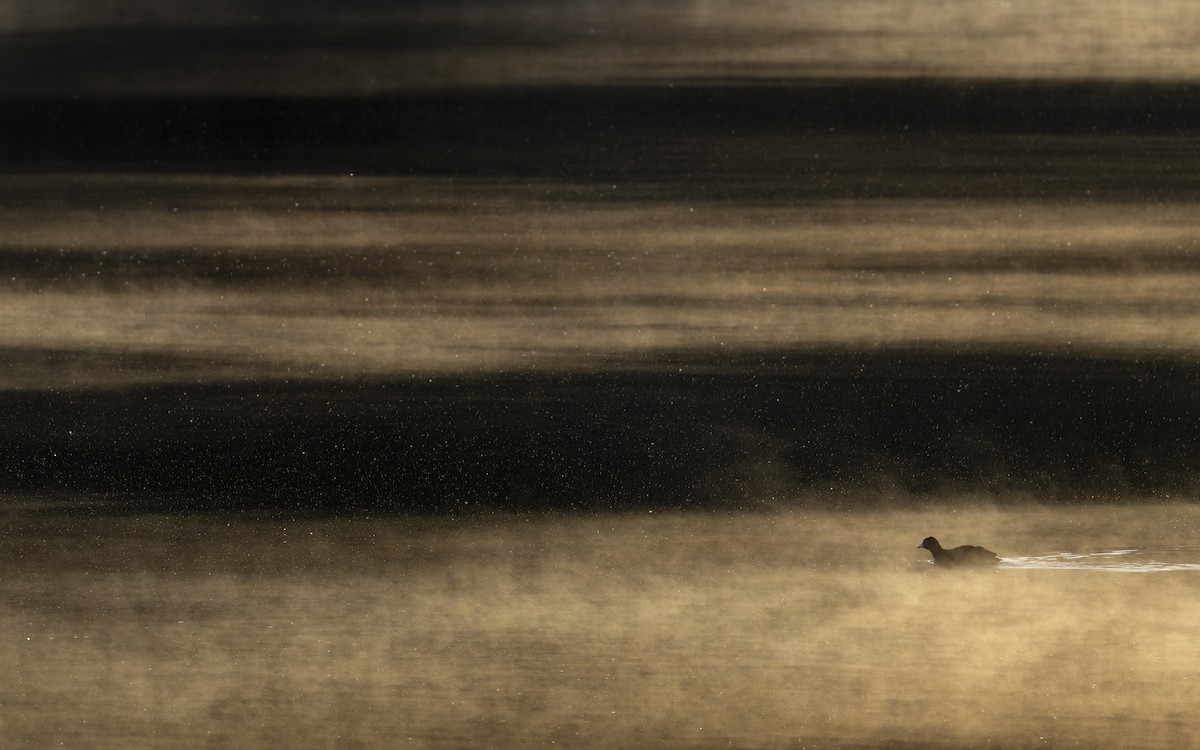
Fantastic atmosphere on this one! It's always nice to see birds in their environment.
Also, hi folks! This is GracesWarbler from WhatBird. Nice to see a new site. Here's a photo from November: a Song Sparrow in the windy morning light of western NC. I made a bird calendar for friends and family last year, and this was the December picture.
You do not have the required permissions to view the files attached to this post.
-
Greyhawk
- Site Admin
- Posts: 654
- Joined: Tue Jan 06, 2026 11:51 am
- Location: North Texas
- Has thanked: 153 times
- Been thanked: 290 times
- Contact:
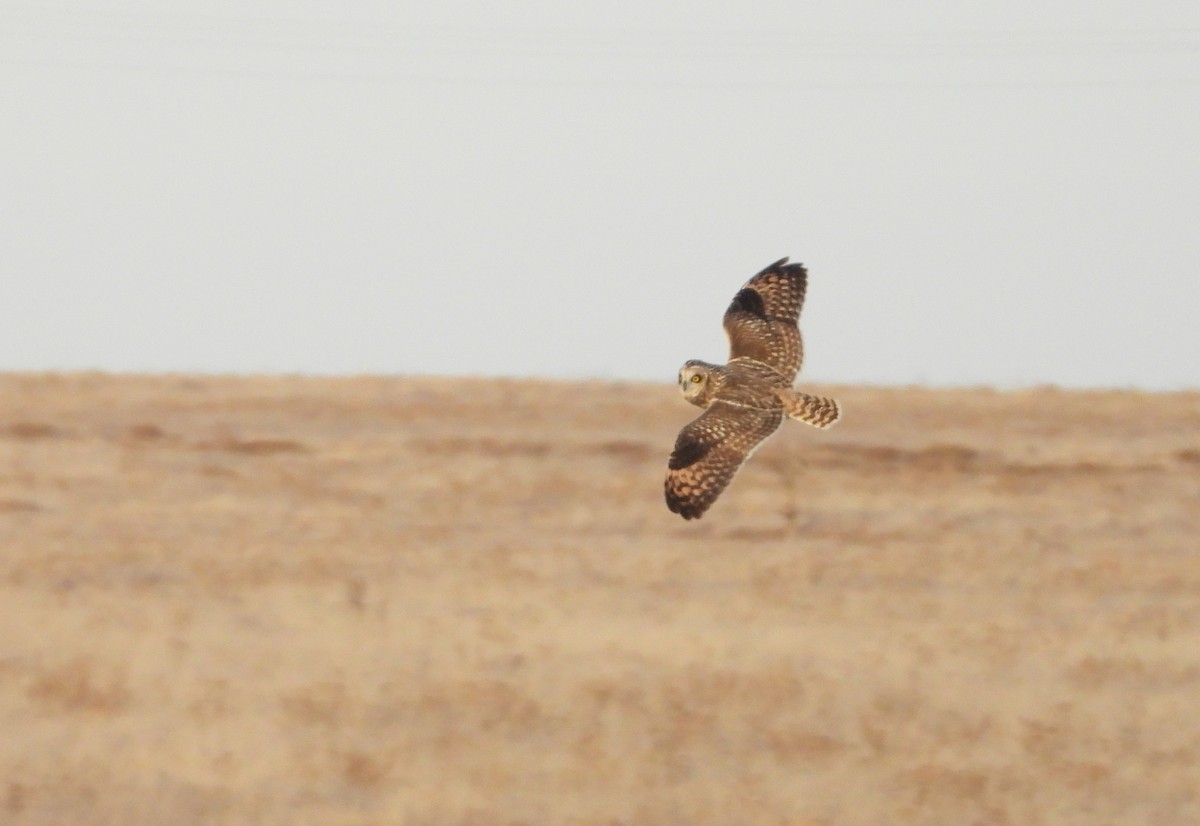
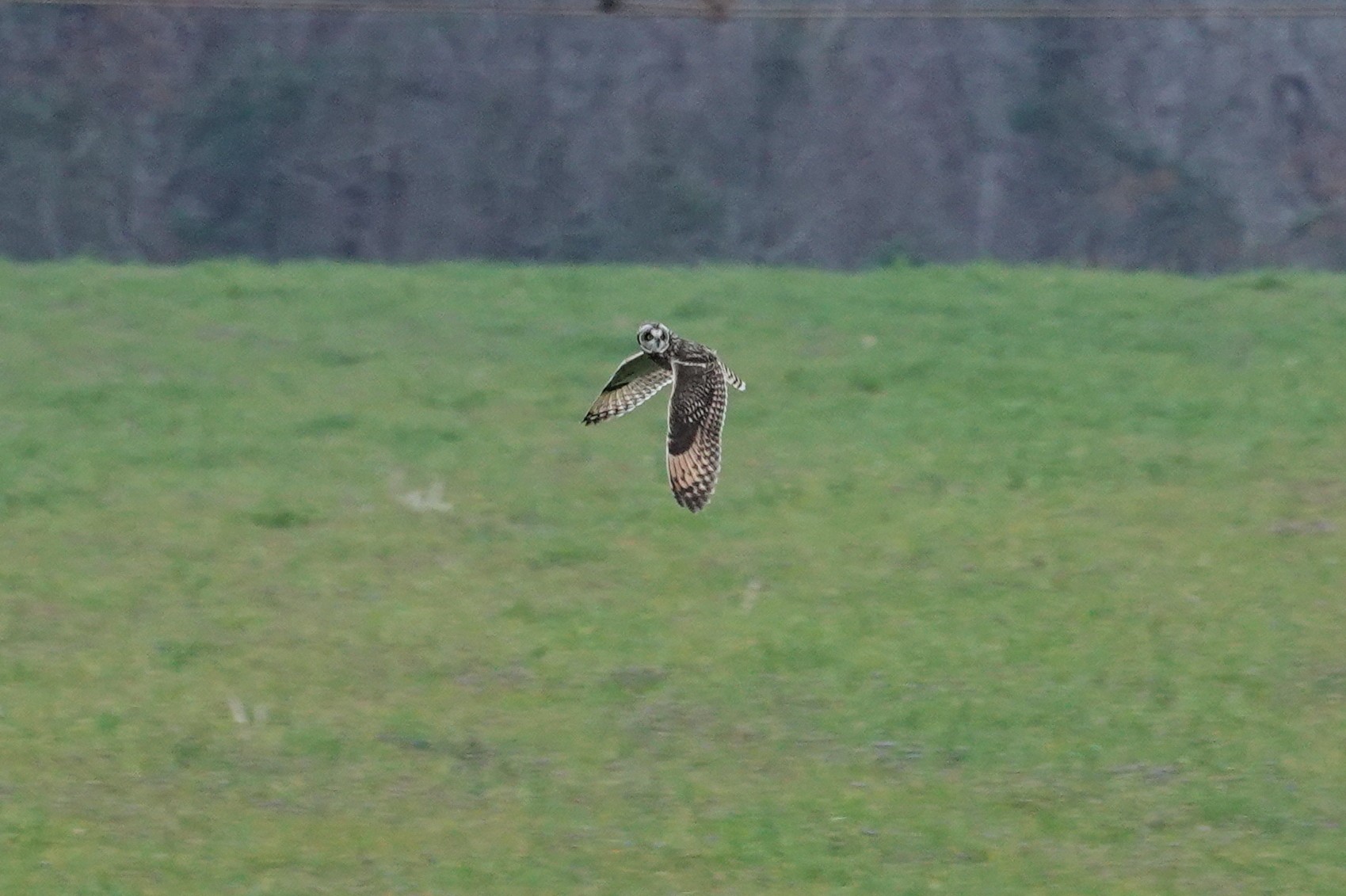
Re: County first Short-eared Owl from Jan 5
What county would that be, if you don't mind saying?
By the way, I encourage everybody to put a location in their profiles. Not a requirement, but it would be nice to have an idea where the membership is located generally.
My feeder cam:
https://www.youtube.com/@johnakkaarrh4142/live
https://www.youtube.com/@johnakkaarrh4142/live
-
HamRHead
- Posts: 4
- Joined: Sat Jan 10, 2026 10:13 pm
- Location: Near Augusta, Georgia
- Has thanked: 18 times
- Been thanked: 6 times
Re: Your Best Shot Of The Day
This was in Burke County, GA. As it turned out, there were actually two birds. Neighboring Richmond County has had at least one, maybe two, Short-eared Owl reports. The next closest eBird reports are close to 100 miles in any direction.
-
Michael Long
- Posts: 5
- Joined: Thu Jan 08, 2026 6:14 am
- Location: San Mateo County, California
- Has thanked: 9 times
- Been thanked: 26 times
Re: Your Best Shot Of The Day
Very happy with this, my best ever views of a Canvasback
https://macaulaylibrary.org/asset/648591339
https://macaulaylibrary.org/asset/648591339
You do not have the required permissions to view the files attached to this post.
Young birder from San Mateo County, California.
-
Charlie Spencer
- Posts: 314
- Joined: Wed Jan 07, 2026 8:08 pm
- Location: Sunset Harbor, North Carolina
- Has thanked: 656 times
- Been thanked: 412 times
- Contact:
Re: Your Best Shot Of The Day
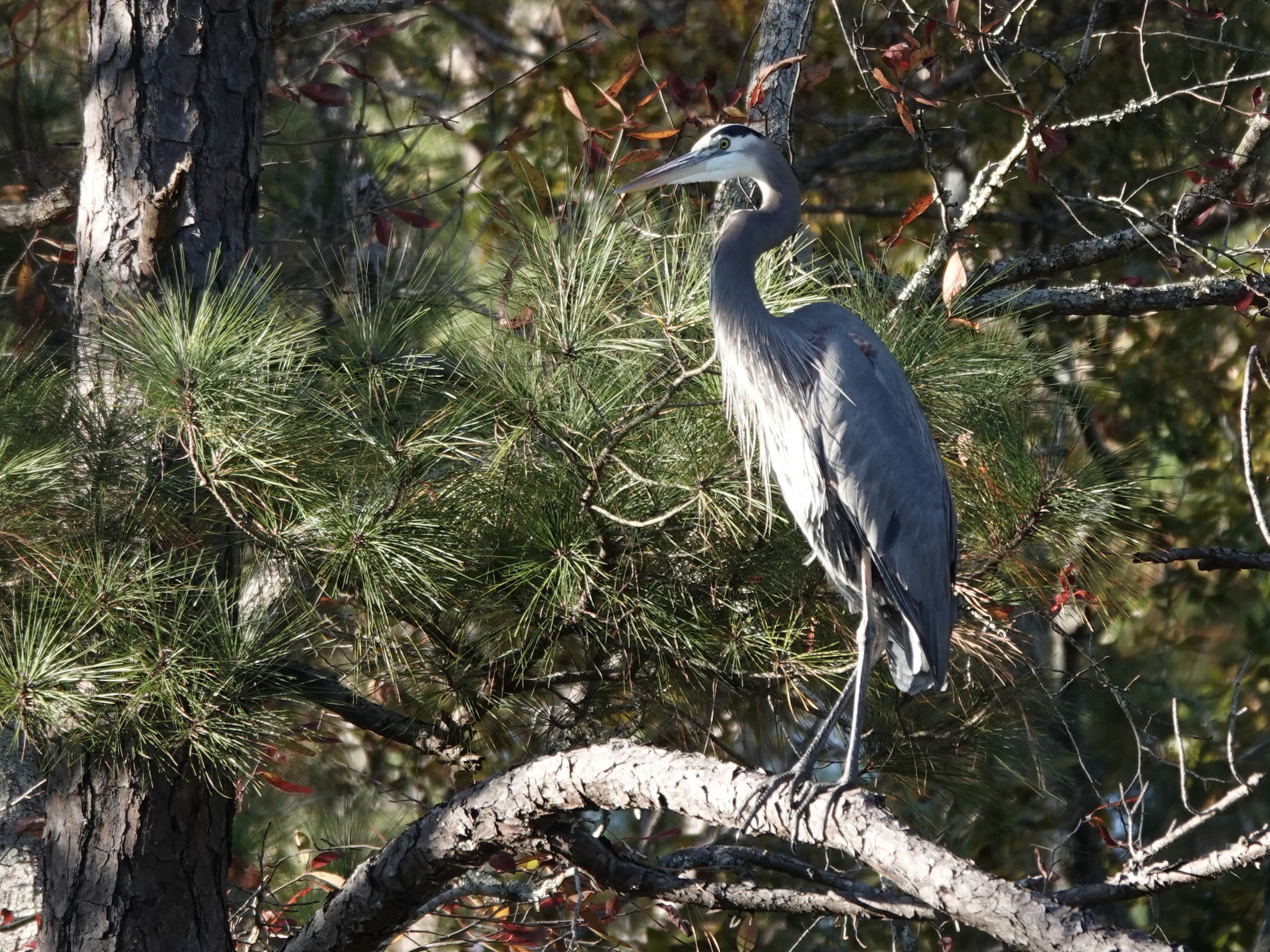
Great Blue Heron. My backyard, Brunswick County, southern coast of NC. November 2025
I don't think I posted this one on Whatbird before it crashed. If so, I apologize for putting it up again. I'm sure we all have some degree of backlog to work through.
I don't think I posted this one on Whatbird before it crashed. If so, I apologize for putting it up again. I'm sure we all have some degree of backlog to work through.
Sunset Harbor NC USA
-
aveschapinas

- Posts: 83
- Joined: Wed Jan 07, 2026 4:47 pm
- Location: Quetzaltenango, Guatemala
- Has thanked: 142 times
- Been thanked: 186 times
Re: Your Best Shot Of The Day
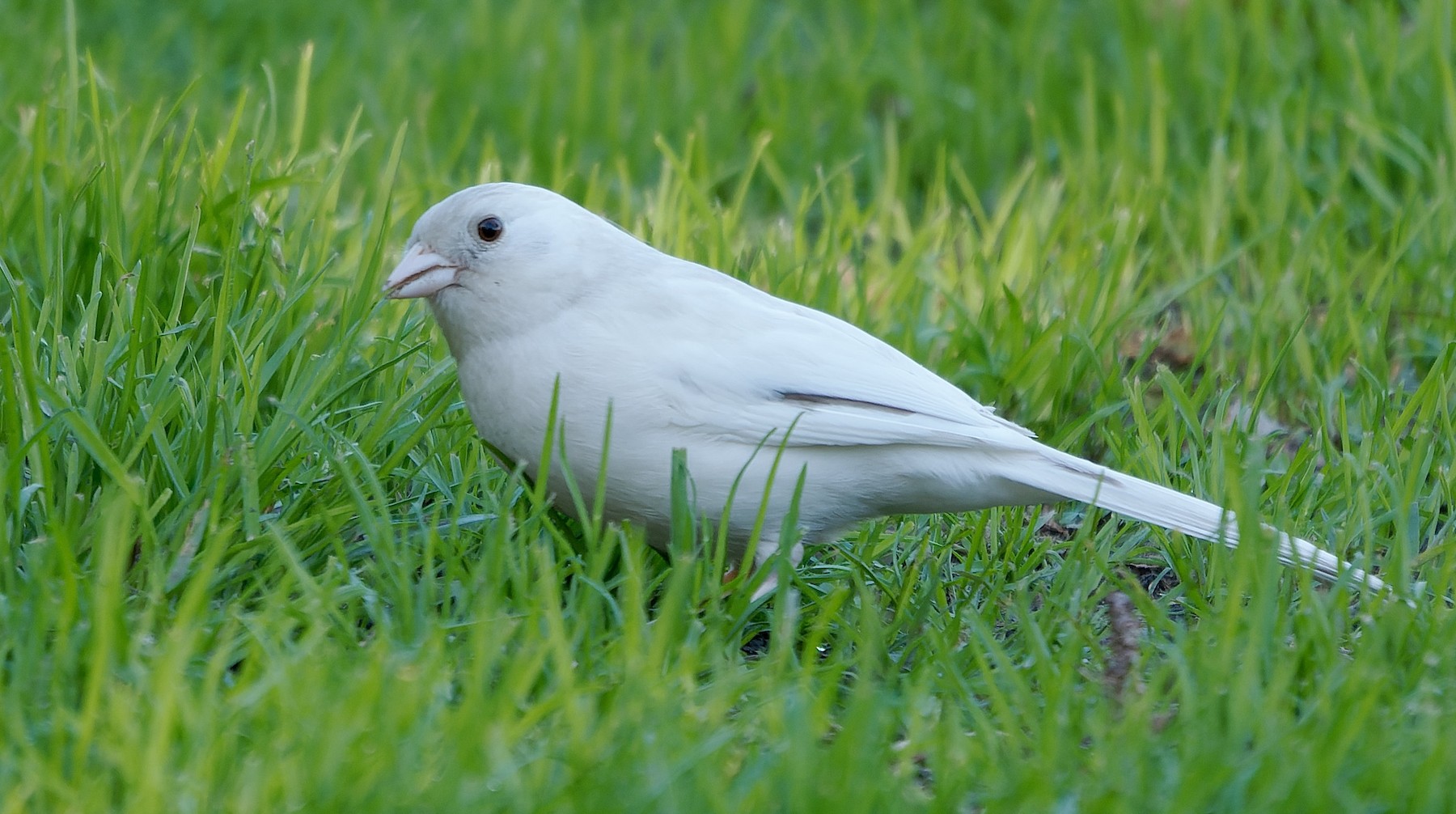
From yesterday, one of my favorite daily visitors:
You do not have the required permissions to view the files attached to this post.
-
Charlie Spencer
- Posts: 314
- Joined: Wed Jan 07, 2026 8:08 pm
- Location: Sunset Harbor, North Carolina
- Has thanked: 656 times
- Been thanked: 412 times
- Contact:
Re: Your Best Shot Of The Day
Saltmarsh Sparrow. Huntington Beach SP, Georgetown SC. Dec 2025. https://ebird.org/checklist/S288114727
Photo lifer from a trip with South Carolina Wildlife Federation in early Dec '25. I saw my lifer on the 2024 trip but didn't get photos then.
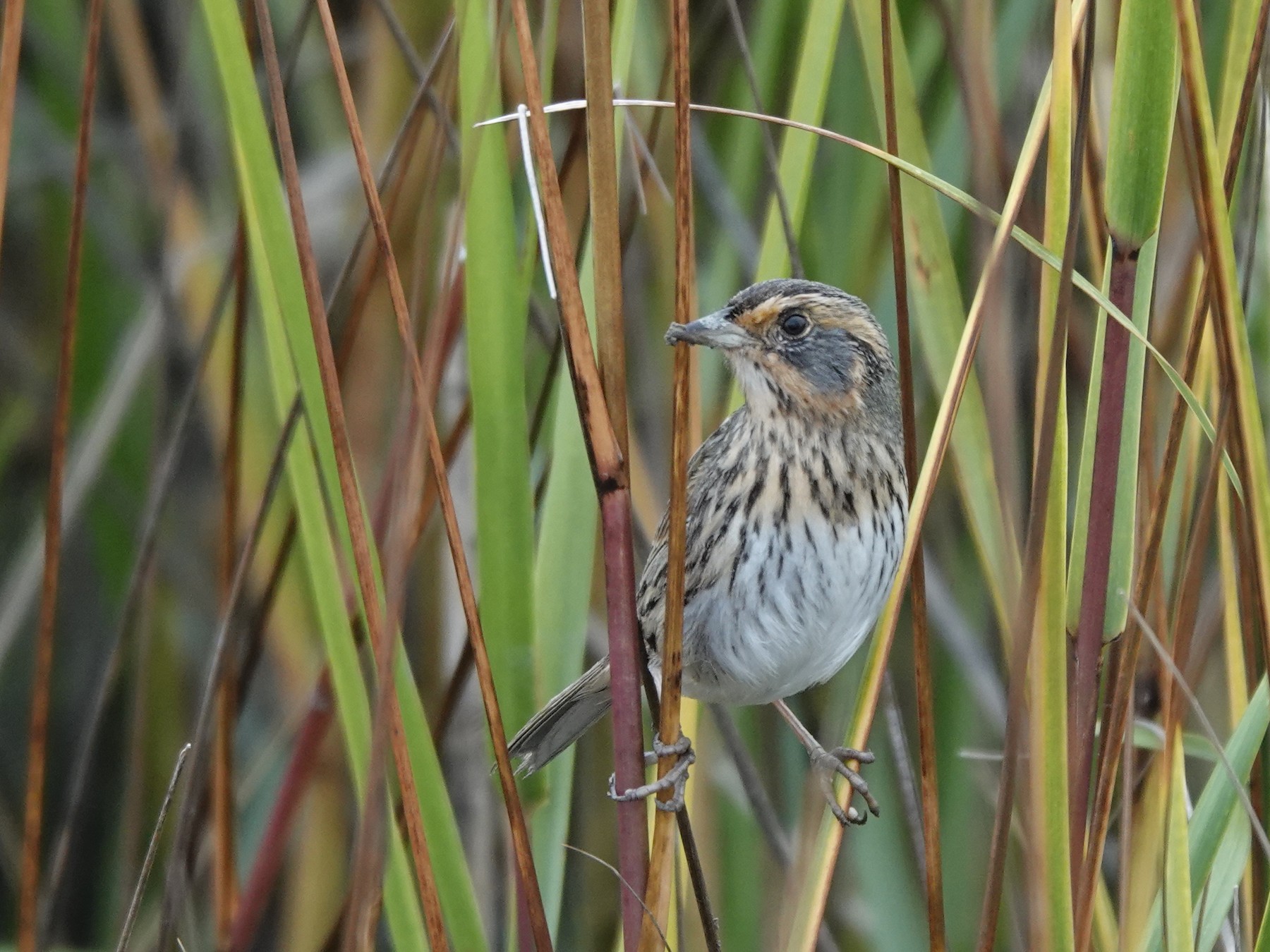
Photo lifer from a trip with South Carolina Wildlife Federation in early Dec '25. I saw my lifer on the 2024 trip but didn't get photos then.
Sunset Harbor NC USA
-
stitch58
- Posts: 158
- Joined: Wed Jan 07, 2026 2:06 am
- Location: New Jersey
- Has thanked: 638 times
- Been thanked: 394 times
- Contact:
Re: Your Best Shot Of The Day
You do not have the required permissions to view the files attached to this post.