Page 2 of 4
Re: Photo Species of the Week
Posted: Sun Jan 11, 2026 7:44 pm
by lonesome55dove
Charlie Spencer wrote: Sun Jan 11, 2026 7:38 pm
lonesome55dove wrote: Sun Jan 11, 2026 7:26 pm
I'm up for an alternative program if you would like to recommend one. Thank you, I appreciate your help.
Lol!
I have no suggestions. I only share my photos as attachments to my eBird checklists. They're viewable there or in the associated Macaulay library. I don't use any of the popular photo sharing services so I can't make any recommendations.
Your call will be handled in the order in which it was received. All of our technicians are busy helping other forum members. Please remain on the line.
Ok, thanks again. I don't use eBird. I'll try to figure it out.
Re: Photo Species of the Week
Posted: Sun Jan 11, 2026 7:48 pm
by aveschapinas
lonesome55dove wrote: Sun Jan 11, 2026 6:57 pm
I can use Flickr or Google Photos.
I drag the photo from my computer to the edit window. Then options appear at the bottom, one is "place inline" and the other is something like "delete file"; I click on place inline and the photo appears when you submit the post. An option maybe until you figure out how to use the photo apps?
Re: Photo Species of the Week
Posted: Sun Jan 11, 2026 7:54 pm
by Greyhawk
lonesome55dove wrote: Sun Jan 11, 2026 6:36 pm
Good morning everyone...
Happy to see this thread back up. Thank you to @Greyhawk and @Charlie Spencer.
Could someone please tell me how to post a photo? Thank you!!
I you have the file on your computer, you can use the "Attachment" tab in the lower left of the posting box. After it is uploaded, you can use the "Place inline" button to make it appear in the body of the post.
At the bottom right of a Flickr photo, there is a right-pointing arrow symbol for "Share Photo", Click on it, in the pop-up box click the BBCode tab, copy everything in the box and paste it in your post. I'll put that in a sticky post in this sub-forum soon.
Re: Photo Species of the Week
Posted: Sun Jan 11, 2026 7:55 pm
by Aidan B
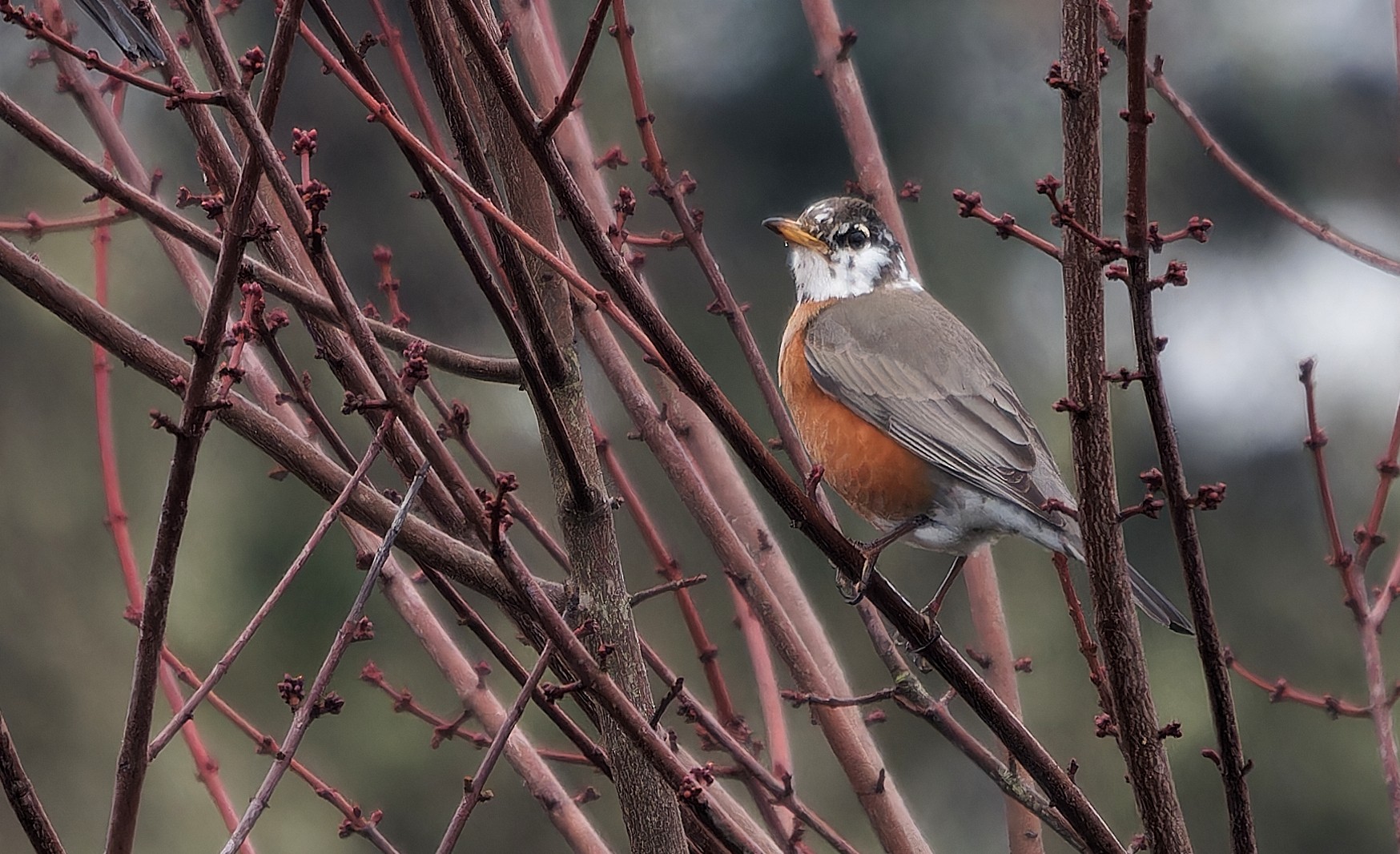
Not my sharpest picture of a Robin, but definitely the coolest one I've seen.
Re: Photo Species of the Week
Posted: Sun Jan 11, 2026 7:57 pm
by Greyhawk
aveschapinas wrote: Sun Jan 11, 2026 7:48 pm
I click on place inline and the photo appears when you submit the post
You can also use the "Preview" button to see what it looks like before you submit.
Re: Photo Species of the Week
Posted: Sun Jan 11, 2026 8:02 pm
by lonesome55dove
Re: Photo Species of the Week
Posted: Sun Jan 11, 2026 8:05 pm
by lonesome55dove
aveschapinas wrote: Sun Jan 11, 2026 7:48 pm
lonesome55dove wrote: Sun Jan 11, 2026 6:57 pm
I can use Flickr or Google Photos.
I drag the photo from my computer to the edit window. Then options appear at the bottom, one is "place inline" and the other is something like "delete file"; I click on place inline and the photo appears when you submit the post. An option maybe until you figure out how to use the photo apps?
Thank you! I appreciate your help. I finally figured it out.
Re: Photo Species of the Week
Posted: Sun Jan 11, 2026 8:50 pm
by lonesome55dove
Greyhawk wrote: Sun Jan 11, 2026 7:54 pm
lonesome55dove wrote: Sun Jan 11, 2026 6:36 pm
Good morning everyone...
Happy to see this thread back up. Thank you to @Greyhawk and @Charlie Spencer.
Could someone please tell me how to post a photo? Thank you!!
I you have the file on your computer, you can use the "Attachment" tab in the lower left of the posting box. After it is uploaded, you can use the "Place inline" button to make it appear in the body of the post.
At the bottom right of a Flickr photo, there is a right-pointing arrow symbol for "Share Photo", Click on it, in the pop-up box click the BBCode tab, copy everything in the box and paste it in your post. I'll put that in a sticky post in this sub-forum soon.
I figured it out. I did use the Flickr BBCode tab, it looks like my photo posted without any problems. I appreciate your help. Thank you!
Re: Photo Species of the Week
Posted: Sun Jan 11, 2026 9:04 pm
by Lonestranger
lonesome55dove wrote: Sun Jan 11, 2026 6:36 pm
Good morning everyone...
Happy to see this thread back up. Thank you to @Greyhawk and @Charlie Spencer.
Could someone please tell me how to post a photo? Thank you!!
I successfully uploaded a Flickr photo by opening the photo, clicking the curved arrow/Share icon, and then selecting the BBCode in the Sharing options and then copy/paste that URL directly into the message box. There are options to select various sizes but haven't determined if there's a best size for all photos, or if size selection depends on each individual photo. If the photo won't load, try selecting a smaller image from the BBCode options.
EDIT: I didn't see all the other responses when I replied. A day late and a dollar short again. I'll work on my timing.
Re: Photo Species of the Week
Posted: Sun Jan 11, 2026 9:59 pm
by Kansabirdguy
One from a while back